A curated list of top genealogy apps to help you stay organized while you search for ancestors. These free apps make researching on the go simpler and more efficient.
I travel light. My husband jokes that I can pack a week’s worth in a carry-on, and often I can manage with just a backpack. That same minimal approach applies to on-site genealogy research. Repositories and courthouses often require you to move quickly between areas, so I avoid hauling unnecessary items.
Smartphone apps let me “research light.” They keep research plans, records, and new discoveries organized and accessible wherever I am.
When I began researching family history, smartphones didn’t exist. Now my phone is one of my most important tools for research and organization. It helps me access research plans, record findings, and store documents instantly.
If you’ve wondered which genealogy apps are worth using, here are the ones I rely on most. Many aren’t strictly genealogy apps, but they fit perfectly into research workflows and other projects as well.
The Best Genealogy Apps To Keep You Organized and Your Research Accessible
I use a combination of cloud storage, scanning, note-taking, and research-specific apps. Most are available for both Android and iOS unless noted.
1. Google Drive
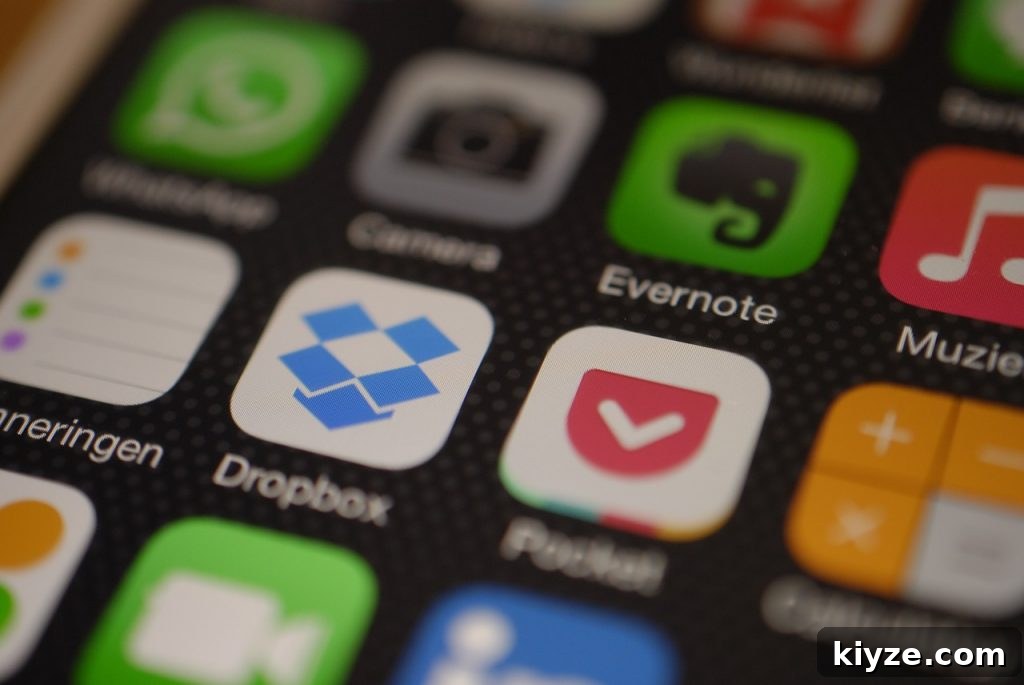
Google Drive is my go-to cloud storage solution. I use it for research plans, family stories, photographs, and scanned documents. It syncs across devices, so I can access important files from my phone while on the road. Sharing files with collaborators is simple, and the free tier is generous enough for many researchers.
2. Dropbox
Dropbox is another reliable cloud option that supports a nested file structure, which I use to mirror my paper filing system. A consistent folder hierarchy makes documents and photos easy to find. Example structure: Surname (main folder) > Record Type (subfolder) > Individual (subfolder). Use the same system across digital and paper files for clarity.
3. Your Phone’s Camera
Your phone camera is indispensable for capturing documents, cemetery markers, and other finds. Many repositories restrict photography—check rules before you go. When allowed, you can quickly photograph records, edit them, and upload to cloud storage while the details are fresh.
4. Genius Scan
Genius Scan turns photos into PDFs, which is handy when you want searchable, neatly formatted copies of documents. It integrates with cloud services like Google Drive and Dropbox for fast upload and organization.
5. Tree Apps (Ancestry, MyHeritage, FamilySearch, Findmypast)
Having quick access to your family tree is critical during on-site research. Apps from Ancestry, MyHeritage, FamilySearch, and Findmypast let you check relationships, verify details, and guide your next steps while away from your desktop.
6. Google Keep
Google Keep is a simple, fast note-taking app I keep on my home screen. It’s perfect for jotting quick ideas, tagging notes for later, and attaching photos. Use it for research reminders, shopping lists, or any short-term notes you want to access quickly.
7. Trello
Trello is a flexible project manager that syncs across devices. I use it to build research plans and break them into actionable tasks. It took a little practice to adapt Trello for genealogy, but now it’s a core part of my workflow for tracking progress and priorities.
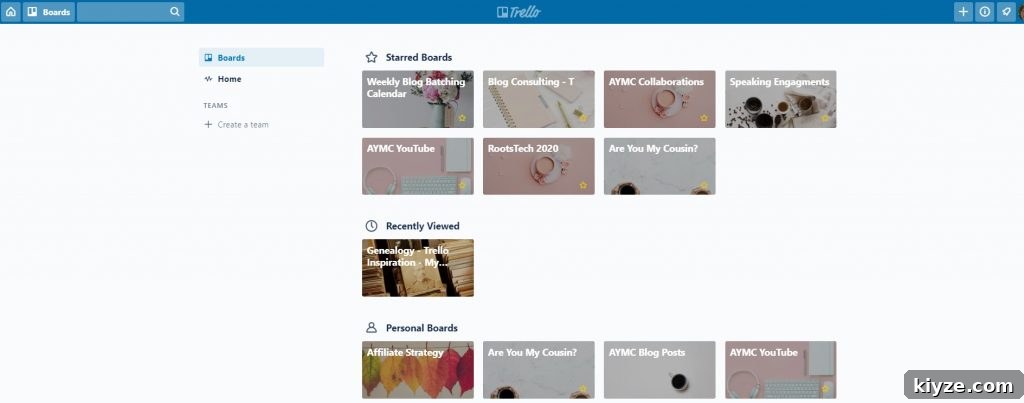
Notion is another platform I use for organization and longer-form notes. Both Notion and Trello sync across devices and can complement each other depending on how you structure research projects.
8. Ancestry Academy
Ancestry Academy offers short genealogy lessons you can access on the go. It’s a convenient way to learn techniques or refresh skills while traveling or waiting.
9. YouTube
YouTube hosts countless genealogy tutorials on census research, DNA, breaking through brick walls, and more. It’s an excellent source of free, practical instruction—perfect for learning during travel with headphones.
10. Cemetery Apps (BillionGraves, FindAGrave)
BillionGraves and FindAGrave apps are valuable when visiting cemeteries or researching burial sites. They let you look up records, locate graves, and capture new photos to add to public databases.

11. Conference Apps (e.g., RootsTech App)
If you attend genealogy conferences, download the conference app beforehand. It keeps you informed about schedule changes and helps you make the most of sessions and networking opportunities.
Keep Your Genealogy Apps Organized
Once your apps are installed, make them easy to find. Create a dedicated folder on your phone’s home screen for research apps so you can launch tools quickly during a research session.
Consistency is key. No system is perfect, but using a consistent structure—whether for folders, file naming, or notes—will save time and reduce frustration.
Other Posts of Interest:
- How to Create Your Genealogy Research Plan (& Why You Should!)
- 3 Powerful Time-Saving Tips for Successful Genealogy Research
- What You Need To Know To Organize Your Genealogy
- How to Research Genealogy In 20 Minutes a Day
***Please note this post contains affiliate links, which means I may earn a commission if you purchase a recommended product or service at no extra cost to you. I only recommend products and services I use and trust. See the site disclosure and privacy policy for more details.